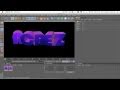
In this Cinema 4D (C4D) Tutorial i will show you how to create really cool rotated 3D text within Cinema4D Ready to export into Photoshop. Thanks for watching, Hope you enjoy. Make sure to leave your feedback in the comments box below. Follow me on Twitter www.twitter.com Programs Used: Maxon Cinema 4D Adobe Photoshop Screen Flow Extra Tags: AcrezHD Acrez HD Cinema 4D C4D Maxon Tutorial r11 r11.5 r12 Rotated 3D Text Effect Render Settings Adobe Photoshop After Effects Illustrator Final Cut Pro Express CS3 CS4 CS5 Editing Tutorial Alpha Channel Professional Advanced Beginner AE AAE PS Ai C4D FC FCX FCP Apple Mac Motion Graphics GFX Pack Design Youtube Background Tutorial
Video Rating: 4 / 5

Archie1928
October 6, 2012 at 7:44 pm
what is the text? font he used anybody know?
konkretefeetent
October 6, 2012 at 8:35 pm
NEED 3D FEET? PLEASE
EksboksLegend
October 6, 2012 at 9:21 pm
lol do u want me to send u a? download link?
FrostehhHD
October 6, 2012 at 9:23 pm
i cant find the? font 🙁
byDanish
October 6, 2012 at 9:48 pm
What? font is this?
WinterDesigns
October 6, 2012 at 10:20 pm
Derp,? it’s a MoGraph object.
BoredomLP
October 6, 2012 at 10:27 pm
hi i would know where do you get your fonts because i am from germany and understand only 90% what? you say
xXiProXxElite
October 6, 2012 at 10:41 pm
Derp Mo Text is a text object? =_=
DON0917
October 6, 2012 at 11:30 pm
I don’t have Text object will Mo Text? work?
Sangue Bom
October 7, 2012 at 12:14 am
Material color??
MrKillingFactory
October 7, 2012 at 12:28 am
How to? create the materials like that?
I am new.
Martushelt
October 7, 2012 at 1:07 am
Just a little tip, you don’t need to make 2 seperate? groups, with double as many letters, it’s a waste of time 🙂 Instead, put both of the colors/textures on the word, press one of the colors/textures and in the selection box write: C1 🙂
YrevzZ
October 7, 2012 at 1:22 am
dude i know this is a old video but dude thanks i? really needed this and it looks sick
Vycrance
October 7, 2012 at 1:29 am
Basically, all? of our creations from this tutorial are going to look like complete shit if you don’t give us your materials you’re using in the video. I can’t find any color combination that looks nice.
JakobMDesigns
October 7, 2012 at 2:25 am
comment y u no exist?
d4rknespro
October 7, 2012 at 3:10 am
I dunno why…
I can only Render at these following Formats:
BMP, BodyPaint 3D (B3D), DPX, IFF, JPEG, OpenEXR, Photoshop (PSD) PICT, PNG,
Radiance (HDR), RLA, RPF, TARGA, TIFF (B3D Layers), Tiff (PSD layers), AVI Movie.
Can You Please Help me ? I maked an awsome intro used? alot of time…
And i dunno Why i can’t Render it ;'(
If it is. Can it be possible if I send the Intro as Cinema 4D File to You Render it And send it back ? I would Be Very Pleased, Happy, and Glad if you Did :’)
oOVoxorolOo
October 7, 2012 at 3:56 am
……..?
GamingReactorTv
October 7, 2012 at 4:34 am
How the fuck did u do the Glossy & Glaze materials and the? spiral icons??
CreaTeHd11
October 7, 2012 at 5:10 am
This is fucking sick keep up this? sick work -3
James Mitchell
October 7, 2012 at 5:24 am
How do you have the texture with? the purple and blue? All my textures are just spheres with a single color. Thanks!:D
HydroIsOG
October 7, 2012 at 5:26 am
MATE U NEED TO? LIVEN UP ABIT .. UR SENDING UR VIEWS TO SLEEP AND I WAS BORED TO FUCK
TheFlawEdits
October 7, 2012 at 5:53 am
That? waps it up for todies tutorial
RazRLithium
October 7, 2012 at 6:51 am
Please HELP!!!!! When i put in my text it always transparent? and it doesn’t show colours it does when i render though
tvisionbeatz
October 7, 2012 at 7:03 am
la-ers?